
Download 3D Screen – 3D Screensaver, Geometric Shapes, Custom Images, Dynamic Animation
Overview
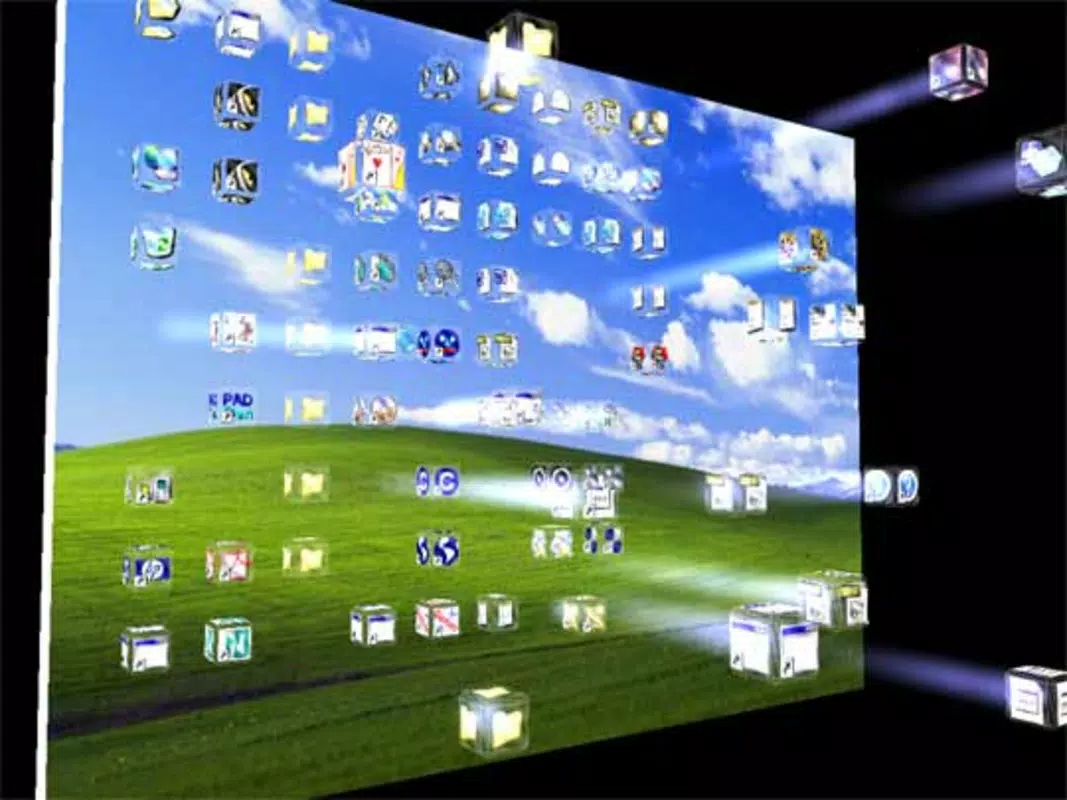
The 3D Screen screensaver delivers a visually immersive experience by transforming static displays into dynamic 3D environments. Designed to showcase geometric forms such as triangles, squares, pyramids, and cubes, the app animates these shapes with fluid motion, creating a captivating visual rhythm across the screen. Each shape features surfaces that display images, allowing for a layered, depth-rich presentation.
This functionality makes it ideal for users seeking a unique way to personalize their digital workspace or enhance visual engagement during idle periods. The app caters to users interested in digital art, desktop customization, and aesthetic computing, particularly those who appreciate geometric design and motion graphics. Although the developer did not provide a detailed background, the app’s long-standing presence since 2003 suggests a legacy of stability and consistent functionality.
It serves as a utility tool for individuals who value visual appeal and creative expression through their screen displays. Real-world use cases include personal computers, digital art displays, and even small-scale presentations where visual interest is paramount. In the broader app ecosystem, 3D Screen holds a niche position as a specialized screensaver, offering a blend of artistic customization and technical simplicity that remains relevant in modern computing environments.
Key Features & Functionality
- Diverse Geometric Shapes: Users can select from a range of forms including triangles, squares, pyramids, and cubes. Each shape introduces a distinct visual dynamic, allowing for varied aesthetic outcomes based on personal preference.
- Customizable Image Display: The ability to upload personal images—specifically in BMP format—enables users to embed their own visuals onto each face of the 3D shapes, creating a deeply personalized experience.
- Adjustable Shape Size: The size of the geometric shapes can be modified to suit different screen resolutions and display preferences, ensuring optimal visibility and integration with various monitor setups.
- Background Color Options: A selection of background colors allows users to harmonize the screensaver with their desktop theme, enhancing visual cohesion and aesthetic appeal.
- Dynamic Movement: The shapes rotate and glide smoothly across the screen, maintaining visual interest through continuous, fluid animation that avoids monotony and reinforces a sense of depth and motion.
For example, a user might upload a series of landscape photos to a cube, watching them rotate into view as the shape moves across the screen. Another might use a vibrant red background with small, fast-moving triangles to create a high-energy visual effect. These features collectively empower users to craft a unique digital ambiance tailored to mood, environment, or artistic intent.
Interface, UX & Performance
The interface of 3D Screen appears to prioritize functionality over complexity, offering a streamlined layout focused on essential customization options. Users can access shape selection, image upload, size adjustment, and background color settings through a clear, menu-driven system. Navigation is likely intuitive, with minimal steps required to apply changes and preview the screensaver in real time.
The visual style leans toward minimalism, allowing the 3D animations to remain the focal point without distracting elements. Although the developer did not list formal performance metrics, the app’s long-term availability suggests consistent stability across various hardware configurations. It is expected to run efficiently on standard desktop systems, maintaining smooth frame rates even during extended use.
Responsiveness appears to be a key design consideration, with changes to settings taking effect promptly. The app likely maintains low resource consumption, ensuring it does not interfere with other running applications. Compatibility with different display resolutions and aspect ratios is implied through the adjustable shape size and background customization.
While detailed performance data was not provided, the app’s enduring presence indicates a reliable user experience across diverse environments.
Platform Compatibility & Technical Requirements
3D Screen is available for desktop platforms, though specific operating system details were not listed. The app’s file size is not disclosed, nor were minimum system requirements specified. The developer did not provide information about required hardware, software versions, or compatibility with specific device categories.
The release date of April 17, 2003, indicates a long-standing presence in the digital space, suggesting it has evolved through multiple updates to maintain relevance. Although the developer did not specify whether the app supports modern OS versions, its continued availability implies a degree of backward compatibility. Users should verify system compatibility before installation.
The app’s format and distribution method were not detailed, though it is likely distributed as a standalone executable for Windows-based systems. The developer did not list any platform-specific limitations or dependencies.
Pros and Cons
- Offers a unique 3D visual experience with rotating geometric shapes
- Supports personal image uploads via BMP format for customization
- Adjustable shape size enhances adaptability across screen types
- Background color selection improves visual integration
- Dynamic animation maintains visual engagement over time
- Only supports BMP image format, limiting file compatibility
- Developer did not provide technical specifications or system requirements
- Platform availability and OS support were not clearly defined
- Long release date suggests limited modern updates or features
- No visible support for advanced animation controls or effects
FAQ
Is 3D Screen free to download and use?
The pricing information was not provided. Users should verify the current cost before installation.
Can I use my own images in the screensaver?
Yes, the app allows users to upload personal images to be displayed on the surfaces of the geometric shapes, though only BMP format is currently supported.
What operating systems does 3D Screen support?
The developer did not specify the operating system or compatibility details. Users should confirm system requirements before installing.
How do I install 3D Screen on my device?
Installation steps were not detailed. The app is likely distributed as a standalone executable, but specific instructions were not provided.
Is the app secure to download and run?
While no security warnings were reported, users should only download from trusted sources to ensure the integrity of the file.
Final Thoughts
3D Screen remains a distinctive entry in the category of desktop screensavers, combining geometric design with dynamic animation to deliver a visually engaging experience. Its ability to personalize visuals through image uploads and background customization makes it a valuable tool for users who value aesthetic expression. While its technical specifications and modern compatibility are not fully disclosed, the app’s longevity speaks to its reliability and enduring appeal.
It is best suited for individuals seeking a simple yet striking way to enhance their digital environment with minimal setup. For those interested in creative desktop customization, 3D Screen offers a nostalgic yet functional solution. Download 3D Screen now.


